The moment your software goes live tends to feel like a finish line. The months of analysis, design, and development are behind you. The system is running. You made it.
What most business owners are not prepared for is what comes next.
The first 90 days after launch are not a wind-down period — they are one of the most active and unpredictable stretches of the entire project. Understanding what typically happens during this time, and preparing for it in advance, can be the difference between a smooth transition and a chaotic one.
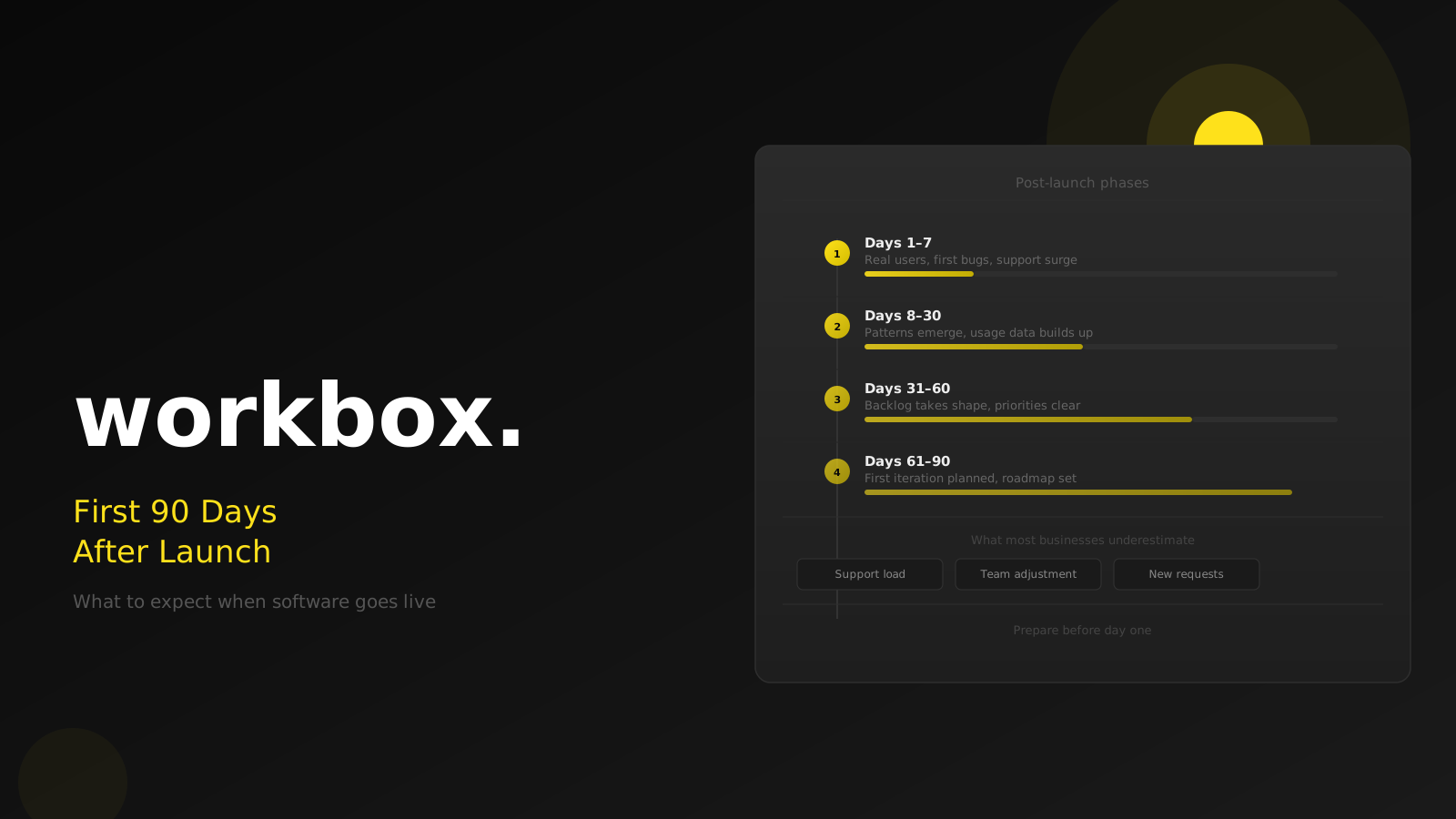
Days 1–7: Real users change everything
Development and testing happen in controlled conditions. The test environment has clean data, known scenarios, and a small number of users who know what they are doing. Go-live is none of those things.
In the first week, your actual users start interacting with the system in ways that no test plan fully anticipates. They navigate differently. They enter data in unexpected formats. They find the one combination of steps that produces an error nobody saw during testing.
This is entirely normal. It does not mean the software was built badly — it means real-world usage is always more varied than any set of test cases can capture.
What to expect in week one:
- A burst of questions from your team, regardless of how thorough the training was
- A handful of minor bugs or edge cases that were not caught in testing
- Some confusion about where to find things, especially if users are transitioning from a familiar system
- A support burden that is heavier than any subsequent week
How to prepare:
- Identify an internal point of contact before launch — someone your team can reach with questions rather than everyone going to the development team directly
- Set expectations with your team in advance: the first week will feel bumpy, and that is expected
- Have a clear, agreed path for reporting issues: what counts as urgent, who receives the report, and what the expected response time is
Days 8–30: Patterns emerge
After the first flush of go-live chaos, things start to settle. Your team develops routines with the new system. The initial burst of support questions drops off as people find their footing.
This is when patterns in feedback start to become clear.
You will notice that most bug reports cluster around the same two or three workflows. You will start to see which features your team uses most — and which ones are being ignored or worked around. You will get your first genuine sense of whether the system is actually making things easier or adding friction in unexpected places.
What to watch for:
- Features that nobody is using: is it because the feature does not work, because users were not trained on it, or because it solves a problem that turned out not to exist?
- Workarounds: if your team has invented a workaround for something, that almost always points to a gap between the designed flow and how the work actually happens
- Data quality issues: real users often enter data in ways that expose gaps in validation — catching these early prevents downstream problems
What to do:
Keep a running log of feedback from your team. Do not try to act on everything immediately. Your goal at this stage is to accumulate enough signal to understand what matters before deciding what to fix first.
Days 31–60: Finding the real backlog
By this point, the urgency of the launch period has faded. Your team is mostly comfortable with the system. The critical bugs have been fixed. And you are starting to understand what the next set of improvements should look like.
This is a natural point to have a structured conversation with your development partner about what comes next. Not every piece of feedback needs to go into development immediately — some things are nice to have, some are important, and a few are genuinely blocking people from working effectively.
How to prioritise:
- What is preventing your team from working at full capacity?
- What is causing manual workarounds that add time to daily processes?
- What would have the highest impact on the people who use the system most?
The requests that come from the people doing the work every day tend to be more valuable than the ones that come from people who use the system occasionally. Give more weight to the patterns you see consistently than to the loudest individual voices.
Days 61–90: The first iteration
If your development agreement includes ongoing work — a retainer, an additional development phase, or a support package — the 60 to 90 day mark is typically when the first meaningful post-launch iteration is ready to plan.
At this point you have something you did not have during the original build: real usage data. You know which parts of the system get the most traffic, where users get stuck, and what the business impact of specific problems actually is. Use this to make better decisions than you could have made before launch.
The first iteration is also a good opportunity to address the things that were deliberately left for later. Most software projects involve trade-offs about what makes it into the initial release and what is deferred. Now is the time to review those deferred items against what you actually learned during the first 90 days — some of them will still be important, and some will no longer matter.
What most clients do not prepare for
Beyond the practical issues, there is an emotional dimension to the post-launch period that catches many business owners off guard.
The dip. After the high of going live, there is often a dip in morale. The system is not yet seamless, the team is still learning, and the productivity gains you expected are not yet visible. This dip is temporary and entirely predictable — but it can feel like evidence that the investment was a mistake. It is not. It is just the normal adjustment period before a new system becomes second nature.
The "just one more thing" requests. Once users can see the system and touch it, they have ideas. Some of those ideas are excellent. Others are reactions to unfamiliarity that will resolve on their own once people are comfortable. Learn to distinguish between the two before committing to development work.
The support drain. Even with good documentation and training, the first 30 days will consume more internal support time than any subsequent month. Budget for this in terms of someone's time — not just money — so the right person is available and not overwhelmed.
What a good development partner does during this period
If you have a trustworthy development partner, you should not be navigating this period alone.
A good partner will monitor your production environment for errors, respond to critical issues promptly, and check in proactively — not just when you report a problem. They will help you separate what genuinely needs to be fixed from what needs a bit more user adjustment. And they will start building a clear picture of what the next phase of development should address.
If you find yourself chasing your development partner for responses in the first 90 days, that is a signal worth taking seriously for the longer-term relationship.
If your software is about to go live and you want to understand what to prepare for — or if you are already in the first 90 days and things are feeling more chaotic than expected — talk to us. We have been through this transition many times and can help you navigate it.